
7-day free trial · cancel anytime
Transportation management platform
Your entire operation.
One powerful platform.
Manage reservations, dispatch, drivers, fleet, and finance in one place—with secure, separate workspaces for every company.
Every company's data kept in its own workspace.
Control room
| Trip | Company | Driver | Status | ETA | |
|---|---|---|---|---|---|
TR-45821 MCO → Disney Springs | Metro Coach | A. Rodriguez Unit 704 | On the way | 10:24 AM | |
TR-45820 Port Canaveral → MCO | Riverside Transit | M. Chen Unit 318 | Confirmed | 11:05 AM | |
TR-45819 SFB → Kissimmee | Harbor Shuttle | K. Patel Unit 442 | Arrived | 9:52 AM | |
TR-45818 MCO → Hotel Belmont | Skyline Rides | — Unassigned | Unassigned | — |
Features
Five tools your team uses every day, working as one.
Reservations
Private, airport and shuttle bookings priced by your own rates, with flight lookups built in.
Dispatch
Calendar, timeline and grid boards that flag conflicts before they become late pickups.
Drivers
Drivers accept trips, update status and share location from their phone — no install.
Fleet
Seat limits, maintenance blocks and service eligibility checked on every assignment.
Finance
Card holds, charges, refunds and receipts through each company's own processor.
Features
Built for high-volume dispatch.
An inside look at how DriveGO coordinates your day from first pickup to final settlement.
01 / 05
Assign a busy day in minutes
Every trip of the day in one grid — driver, vehicle, acceptance and status side by side.
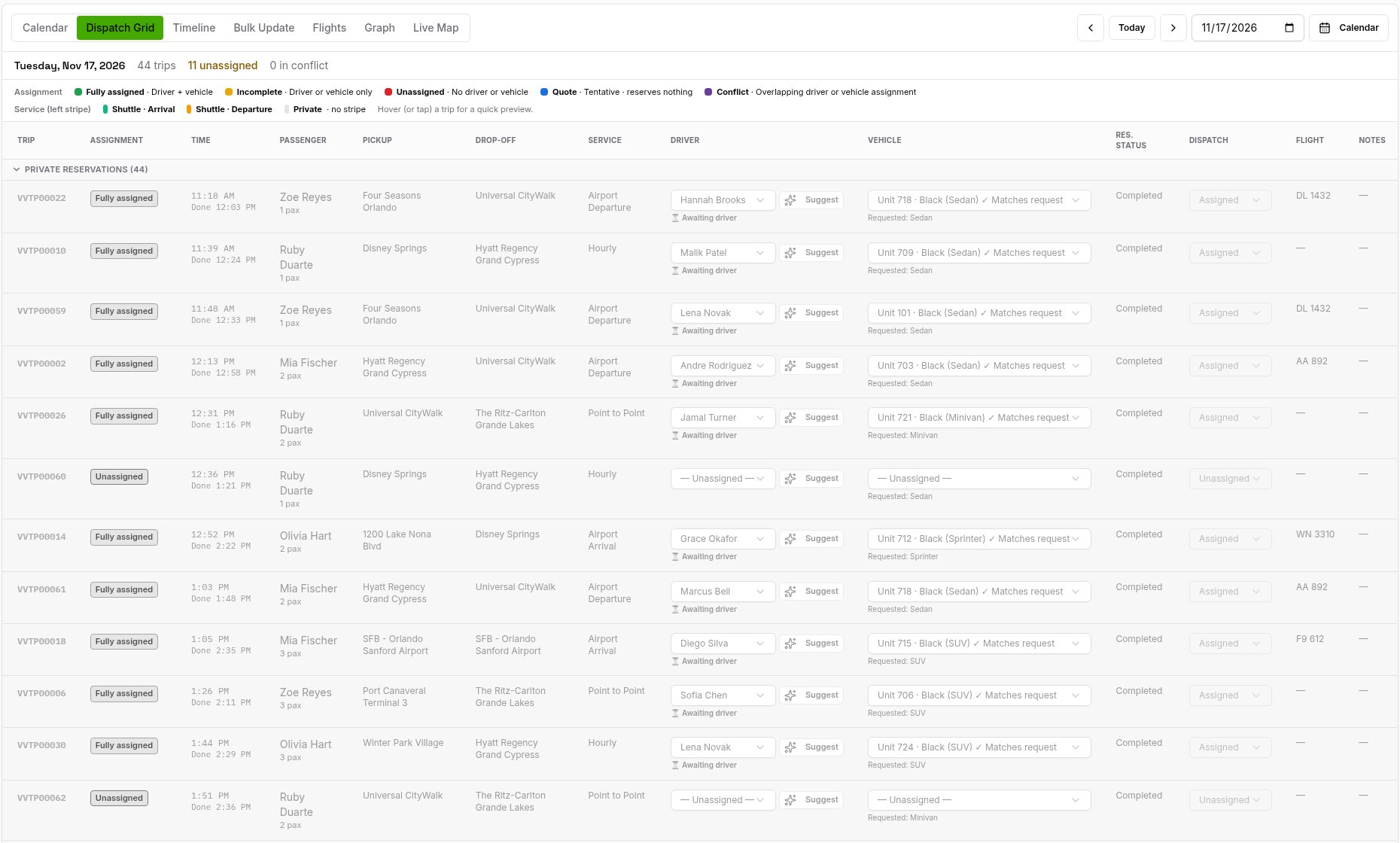
- 1Day at a glance: trips, unassigned and conflicts counted live
- 2Color-coded assignment: fully assigned, incomplete or unassigned
- 3Driver picker with accepted / awaiting badges
02 / 05
See every driver's day at a glance
Columns per driver and vehicle show who is free, who is on a run and when they'll be done.
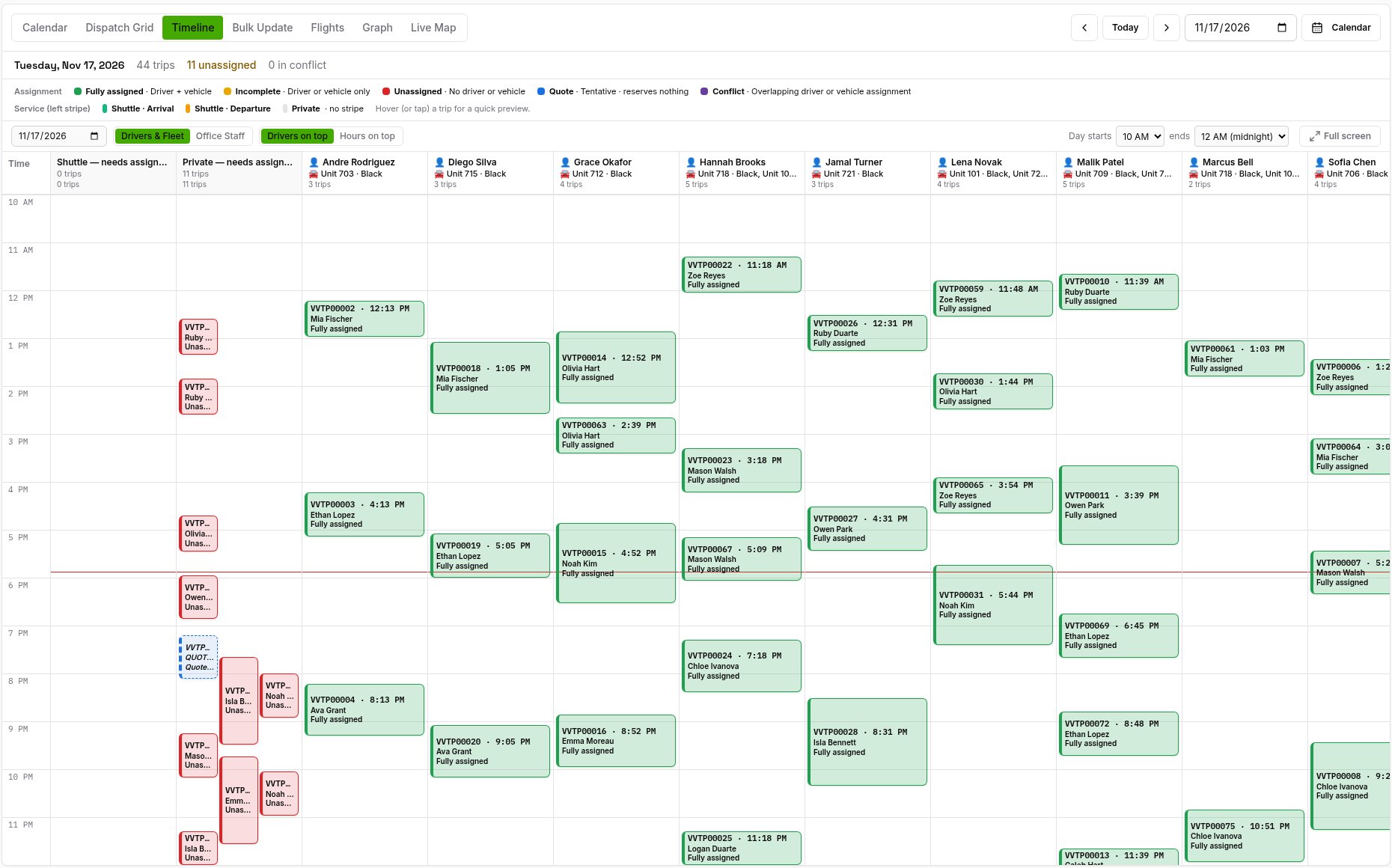
- 1Switch between drivers & fleet and office staff
- 2One lane per driver with their unit and trip count
- 3Trip blocks sized to the estimated done time
03 / 05
Watch the fleet move live
Drivers share GPS from their phone. Customers get a link to track their ride.
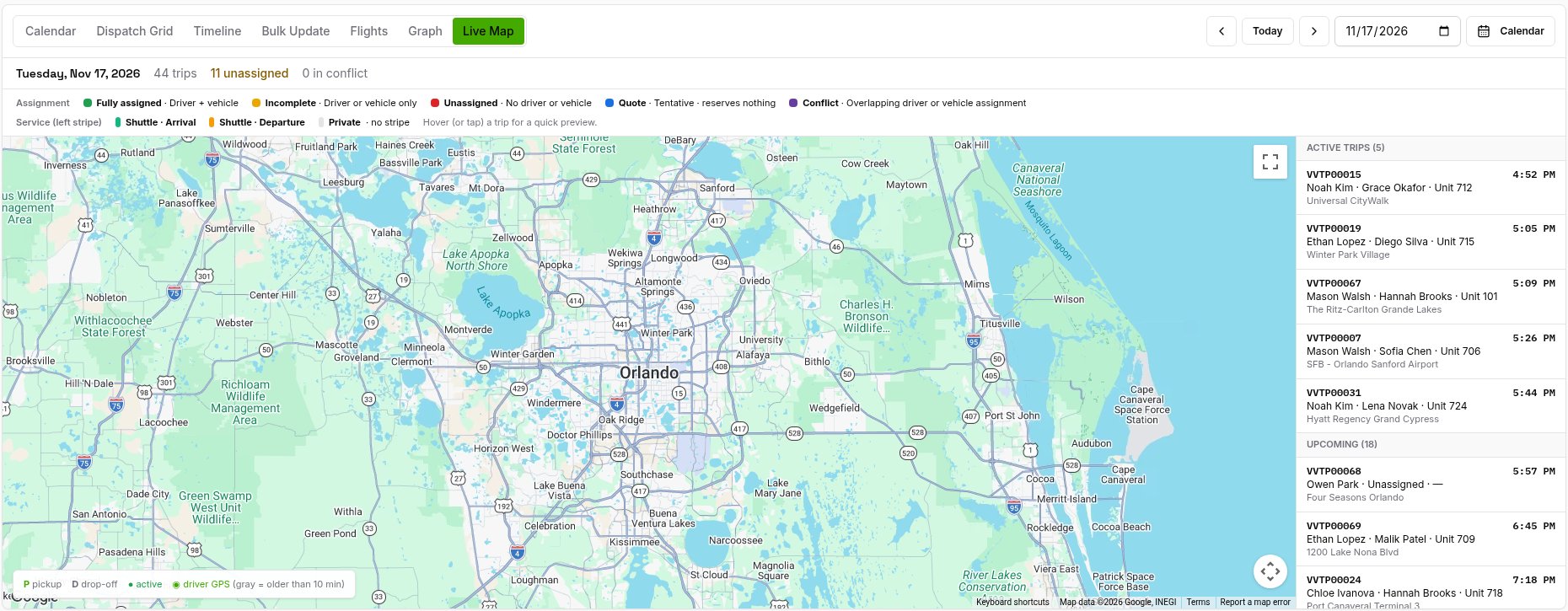
- 1Live driver positions, pickups and drop-offs on one map
- 2Active and upcoming trips listed beside the map
- 3Same live counters as the dispatch grid
04 / 05
Plan the month ahead
Month and week views show the workload coming up, color-coded so gaps jump out.
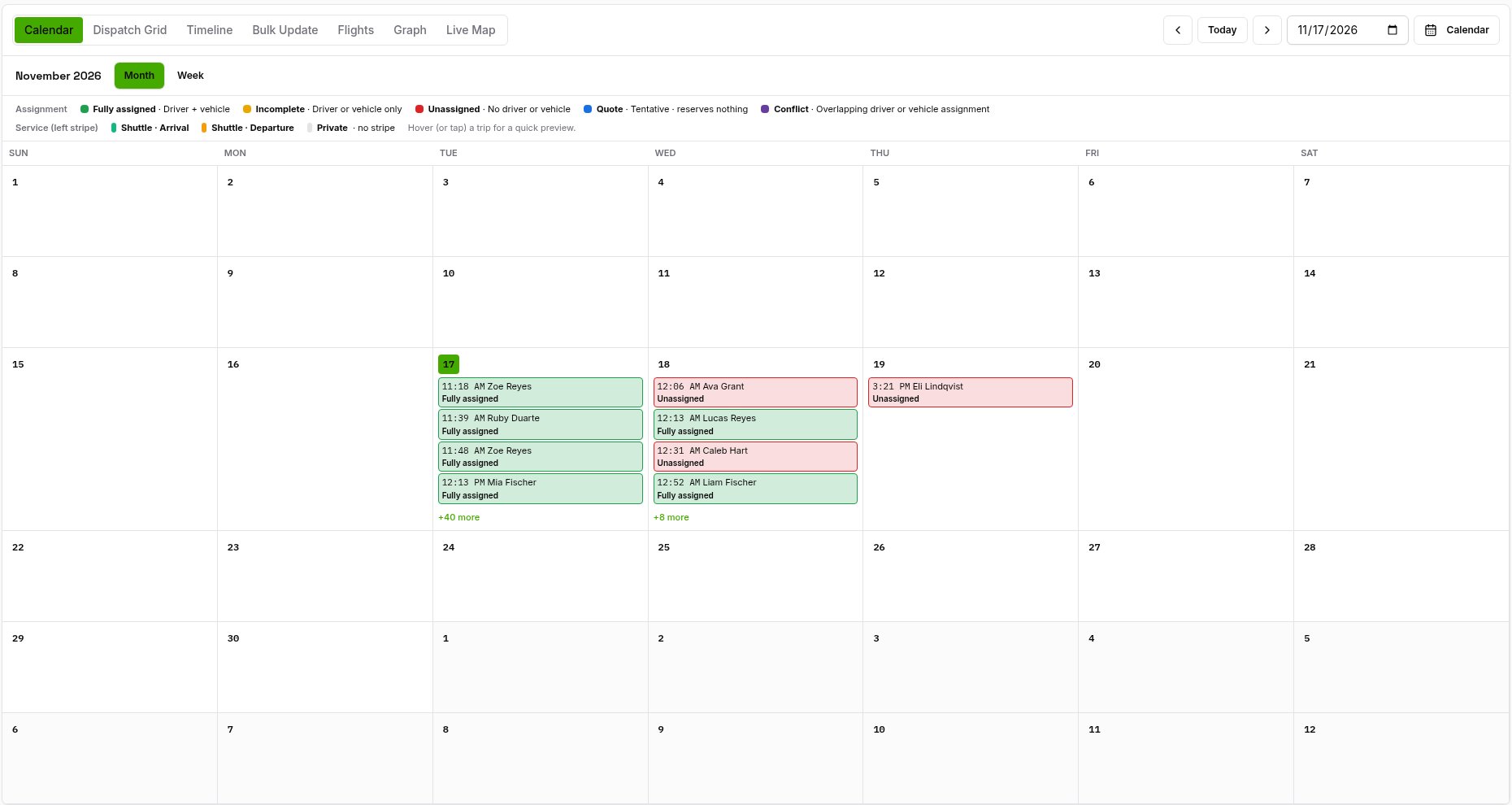
- 1Flip between month and week
- 2One legend for assignment, quotes, conflicts and shuttle
- 3Each day lists its trips — click to open that day's timeline
05 / 05
Every booking, searchable
Private and shuttle reservations with passengers, vehicle, driver, status and payment.
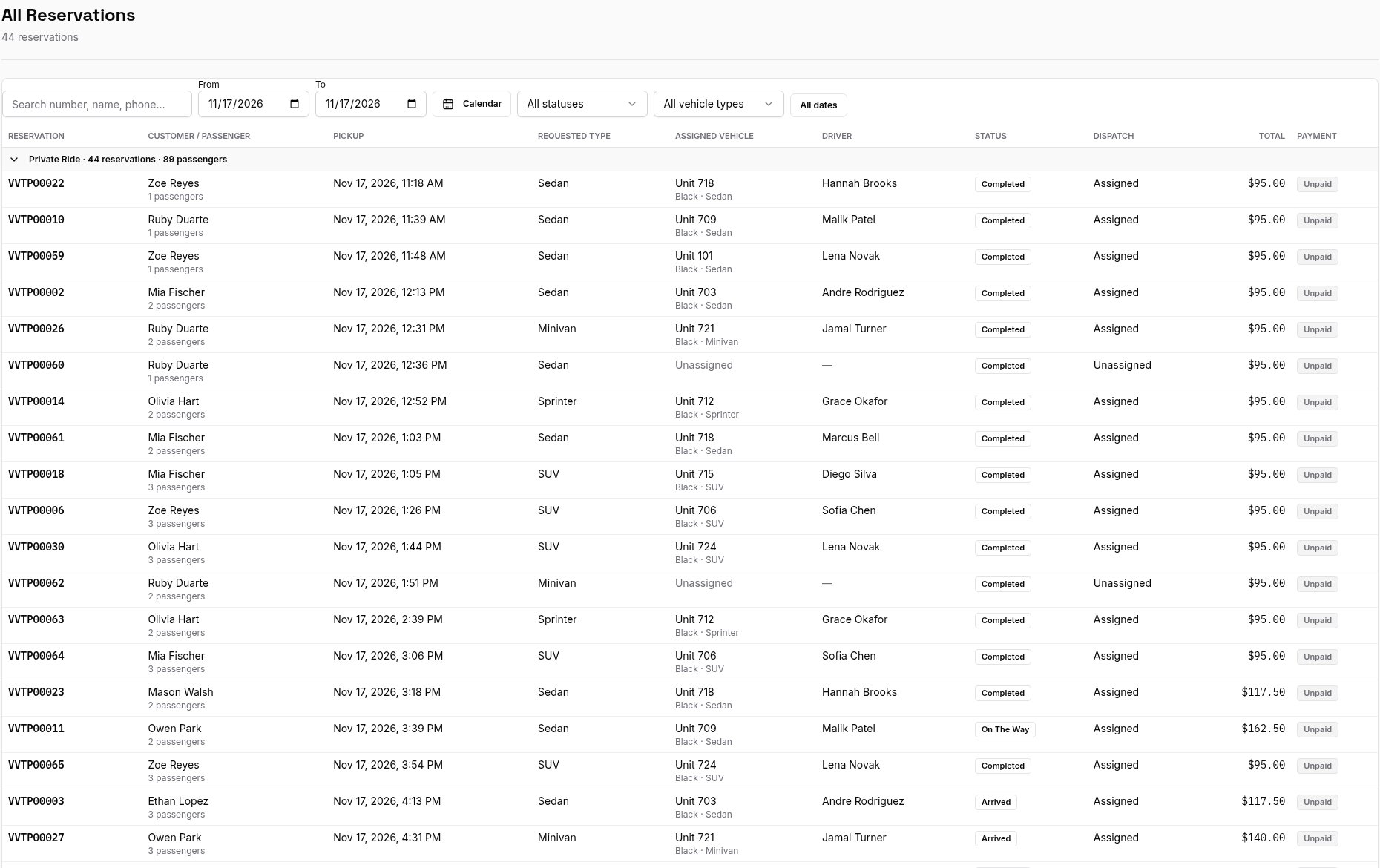
- 1Search by name, phone or number within any date range
- 2Grouped by private ride and shuttle with passenger totals
- 3Status for every trip, right in the list
How a trip flows
From booking to payment, without switching tools.
01
Book
Staff or customers book private rides, airport runs and shuttle seats. Prices come from your own rates — flight lookups included.
02
Dispatch
Assign drivers and vehicles with suggestions, conflict checks and eligibility rules that can't be bypassed.
03
Drive
Drivers accept trips and update status from their phone. GPS feeds the live map and customer tracking link.
04
Get paid
Card holds, charges, refunds, account credit and receipts run through your own payment processor.
Multi-company
Many brands from one login, each fully separated.
Shared shuttle
Per-seat pricing, luggage rules and seat limits.
Texts & email
Assignment texts, quotes, receipts and cancellations.
Roles & audit
Granular permissions and a full change history.
Security
One login. Separate workspaces.
Each company's customers, rates, fleet and payments live in its own workspace. Access is checked by the database on every request, not just hidden in the screen.
- Roles and permissions set per company
- Staff only see the companies they're assigned to
- A full history of who changed what
Pricing
Simple plans based on your monthly reservations.
Pick the plan that fits your volume. Go over your included reservations and you stay on your plan—just a small fee per extra trip.
Every plan starts with a 7-day free trial — your first charge is on day 8.
Starter
$100 /month
- Up to 150 reservations a month
- $1.00 per extra reservation
- All features included
Growth
$250 /month
- Up to 500 reservations a month
- $0.75 per extra reservation
- All features included
Enterprise
$500 /month
- Up to 1,500 reservations a month
- $0.50 per extra reservation
- All features included
Custom
Let's talk
- More than 1,500 reservations a month
- Custom pricing for your volume
- All features included
Call center add-on
Answered by a humanOptional call center agents answer your phones for you. Your customers talk to a real person, not a robot—24/7, after-hours or business hours.
- Talk to a human
- Bookings taken for you
- Never miss a call
Request a demo
See DriveGO with your own operation.
Tell us a little about your company and our team will reach out to schedule a walkthrough.